
Hardware
CPU, GPU, RAM, disks, motherboard, BIOS, OS and virtualization.
Your configurationHardware, Windows protections and anti-cheats in one app. See what is installed and prepare a report for support.
Download checkerWindows 10 / 11 · x64 · 51.8 MB
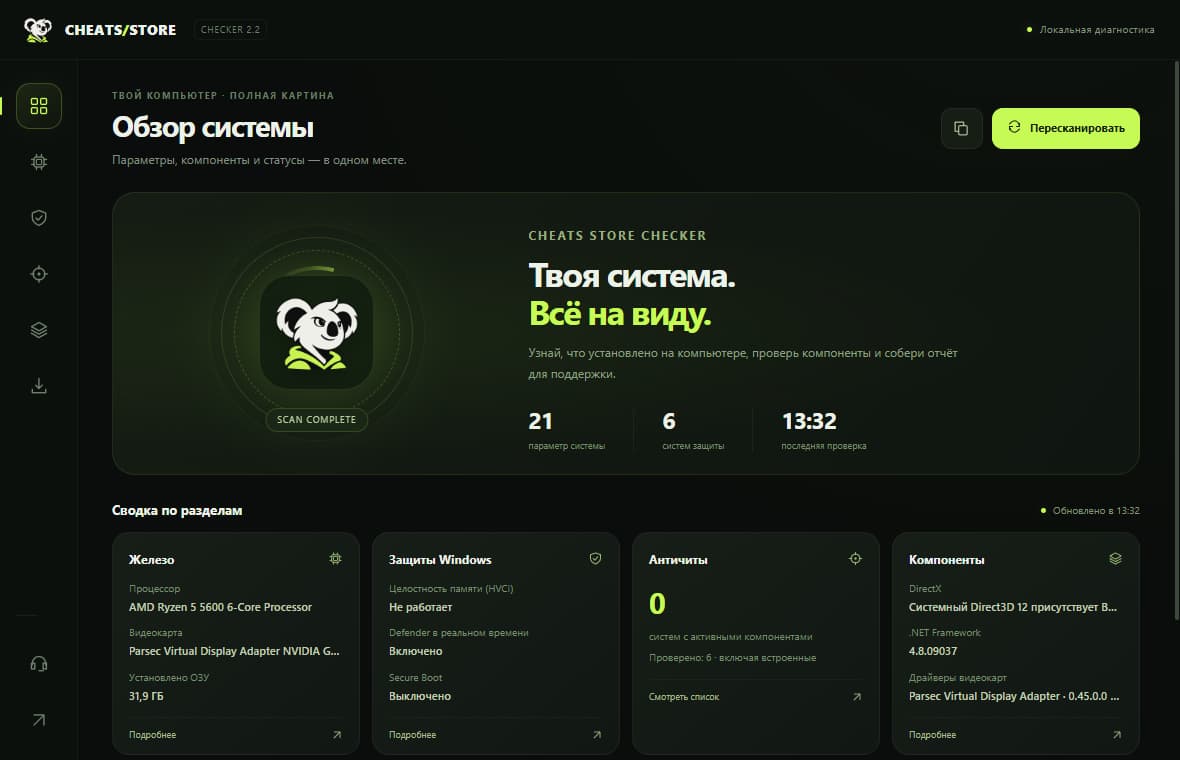
Actual app interface · your results depend on your PC
7D90E9F531ED3781E1F401572BC62CAA12C7CB8C243378CA63B150C020BA303ARead the status, see the details and rescan when needed.
CPU, GPU, RAM, disks, motherboard, BIOS, OS and virtualization.
Your configurationHVCI, VBS, Defender, Tamper Protection, Hyper-V, Smart App Control, Secure Boot and TPM.
Current Windows statusVanguard, Easy Anti-Cheat, BattlEye, FACEIT, RICOCHET and Hyperion. Installed components, processes and driver information.
6 systemsVisual C++, DirectX, .NET Framework and GPU driver versions. Links to official download pages.
Libraries and driversFor integrated protections, unconfirmed and indirect results are marked explicitly. A missing component in the report is not proof that it is absent.
Save the file and run it on your Windows PC. No store account is required.
The initial scan starts automatically. Open a section to see details and use Rescan to update them.
Click Copy report and paste it into your support ticket. You choose whether to share it.
The .NET runtime is bundled with the EXE. WebView2 powers the interface.
Yes. Downloading and using the checker is free. No license key or store account is needed.
The diagnostic scan reads system information. The app does not disable protections or stop anti-cheat services. Download buttons open official pages in your browser.
No. Results describe available Windows data. Check the requirements of the specific product and ask support if something is unclear.
Integrated protections cannot always be identified separately. Roblox or Call of Duty being installed or running is an indirect sign. Missing permissions or unknown component names can also limit the result.
Local diagnostics work offline. Internet is needed for initial WebView2 installation if the runtime is missing, and to open support or download pages.
You can compare the SHA-256 hash below with the downloaded file. If the browser or security software blocks it, send the warning to support. The file has no publisher code-signing certificate.
Download the checker and start with a clear picture.